

Parameter
| Type | Details | Descriptions |
|---|---|---|
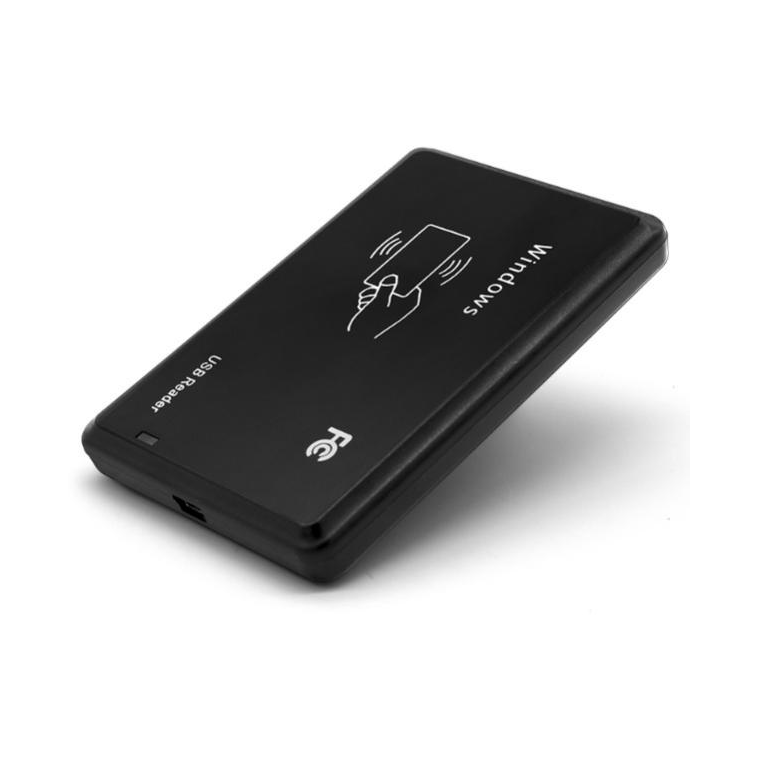
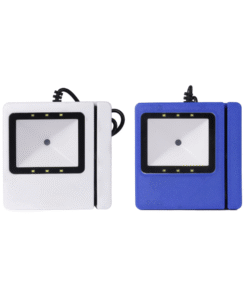
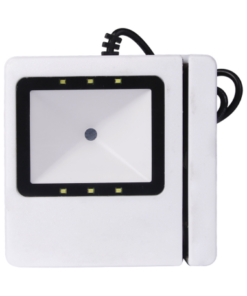
| General | Model | J20C |
| General | Product Type | USB contactless IC card reader, read only |
| General | Dimensions | 104 × 68 × 10 mm |
| General | Weight | Approximately 140 g |
| RF Performance | Operating Frequency | 13.56 MHz |
| RF Performance | Supported Protocol | ISO 14443A |
| RF Performance | Supported Cards | MIFARE S50, S70, and compatible cards |
| RF Performance | Reading Distance | 0 to 80 mm (may vary with the card, antenna, installation, and nearby metal) |
| RF Performance | Card Reading Speed | 0.2 s |
| RF Performance | Read Time | Less than 100 ms |
| RF Performance | Repeat-Read Interval | 0.5 s |
| Electrical | Operating Voltage | 5 V DC |
| Electrical | Operating Current | 100 mA |
| Indicators | LED | Dual-color: red power indicator and green status indicator |
| Indicators | Audible | Integrated buzzer; LED and buzzer functions can be controlled |
| Interface & Software | Interface | USB |
| Interface & Software | Output Format | Default 10-digit decimal output (4 bytes); customized formats available |
| Interface & Software | Output Method | Card number is sent to the active cursor in compatible text-entry software |
| Interface & Software | Operating Systems | Windows XP / Vista / 7 / 10, Windows CE, Linux, and Android |
| Environment | Operating Temperature | −20 °C to 70 °C |
| Applications | Typical Uses | Internet cafes, membership management, KTV and VOD systems; fast-food ordering and locker access control; shopping malls, offices, and bathhouse locker systems; anti-counterfeiting, production control, and data collection |
Installation
- Connect the reader: Connect the data cable between a computer USB port and the reader. A beep indicates that self-test and initialization have started.
- Wait for standby mode: When the indicator turns red, the reader is ready to scan a card.
- Test card output: Open a text-entry application such as Notepad, Microsoft Word, or Microsoft Excel. Place the card near the reader; the card number should appear at the cursor position.
After the reader enters standby mode, open Device Manager. If the reader appears under Human Interface Devices, the connection has been established successfully.
Operating Precautions
- Do not connect the data cable directly to a standalone USB charging adapter. The reader requires a host device for card data output.
- Reading distance depends on the protocol, antenna design, surrounding environment, nearby metal objects, and the card itself.
- Avoid reading at the maximum edge of the detection range, which may be unstable. Readers installed too close together may interfere with one another.
- Present the face of the card naturally toward the reader. Quickly swiping a card past the side of the reader may result in a failed read.
- Avoid operating the mouse while a card number is being transmitted, as this may cause the data to be entered incorrectly.
- Keep the communication cable between the reader and the computer shorter than 15 m.
Basic Troubleshooting
- No response when a card is presented: Confirm that the cable is connected correctly, the card type is supported, the card is not damaged, and no other RFID card is within the reading range.
- Incorrect or incomplete data output: Do not operate the mouse during transmission. Move the reader away from strong electromagnetic interference, shorten an excessively long cable, and avoid reading at the edge of the detection range.






Reviews
There are no reviews yet.